Security and privacy
Only the people who need to see it.
Care records hold the most private things about a person. FormaOS shows each person what their role needs, keeps a record of who looked and what changed, and lets you take everything with you.
Who sees what
Each role sees its own part.
Set by the role you give someone when you invite them.
Owner
One per workspaceEverything an admin sees, plus billing and handing over ownership.
Admin
OfficeEverything, including the team and settings.
Manager
OfficeRuns the roster, timesheets and invoices, handles checks and incidents, and reads the whole organisation’s records.
Cannot change who is on the team.
Support worker
PhoneTheir own shifts, open shifts, the participants they support and notes for those participants.
No invoices, funding, pay for anyone else, audit trail or incident investigations.
Family member
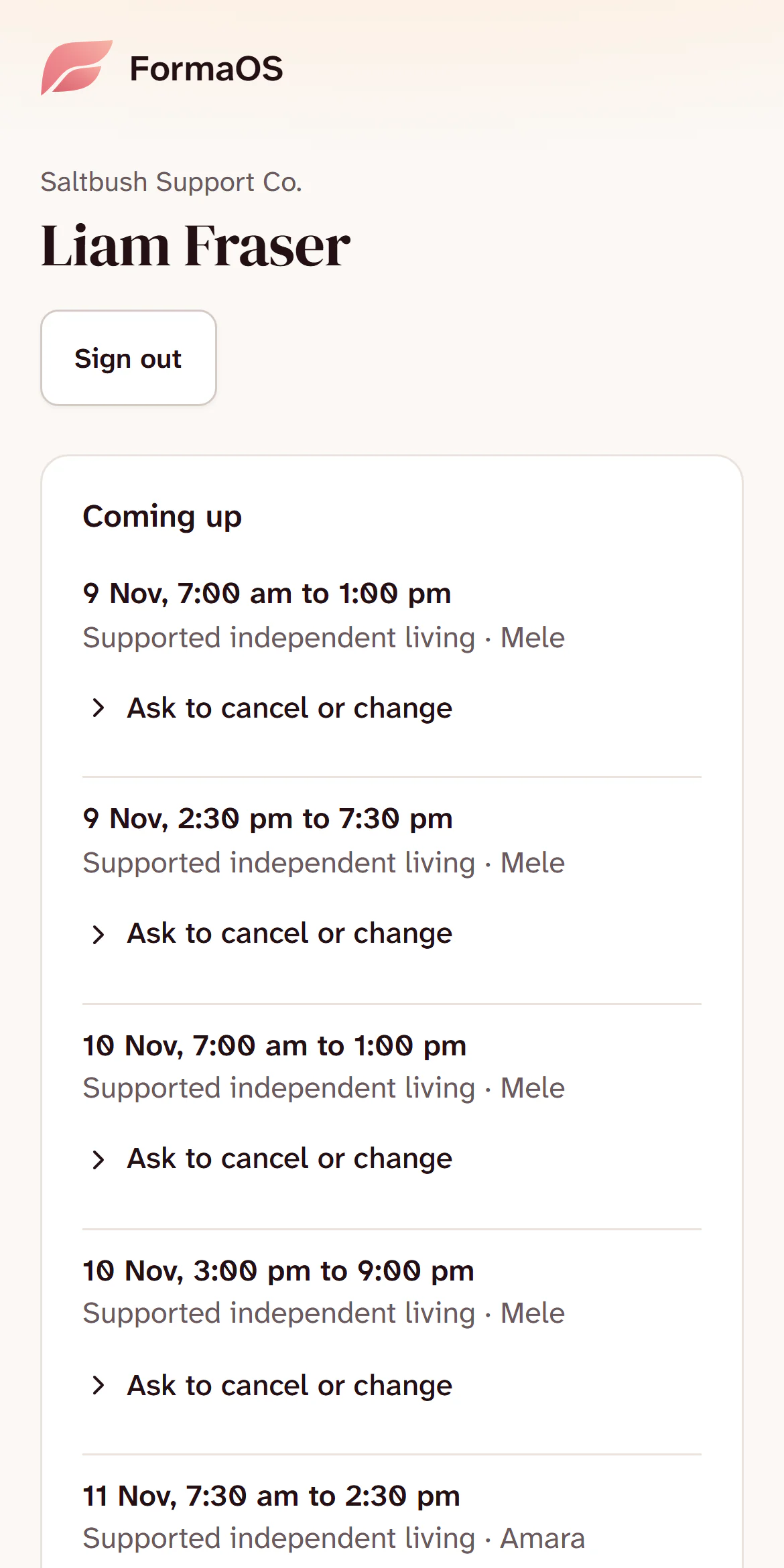
Family portalOne participant’s coming shifts and the worker’s first name. Notes, budgets and invoices only if you tick them.
Auditor
Read-only linkThe records you choose, read only, for 7 to 90 days.
For support workers this is held by the database itself, with row-level security, so it holds however their phone asks for the data, not only on the screens.
How it is kept
What FormaOS does to keep records private.
Signing in
- Passwords need at least 12 characters, with upper and lower case, a number and a symbol, and are checked against passwords known to have leaked.
- Turn on two-step sign-in with an authenticator app. Once it is on, the app asks for the code before any record opens.
- Sign in with Google if you prefer.
- Remove someone from your team and their access ends straight away.
A record of what happened
- The audit trail lists who opened a participant’s record, changes to care records and incidents, and each download of your records.
- Each entry is locked to the one before it, so a changed entry shows.
- A signed agreement is locked, with a fingerprint of what was signed.
- What a worker files in an incident report stays as filed. A manager’s correction sits beside it, with the reason.
- A file removed from a care record is kept, with the reason it was removed.
Sharing, on your terms
- Family access needs consent recorded first: who gave it, when and how. Revoke stops it at once.
- Files open through links that expire within minutes, and a file follows the same rule as the record it belongs to.
- Emails about shifts give the date and time only, never who or where.
- An auditor’s link is read only, and stops working on the date you set.
Your data, and leaving
- The owner can download everything, as spreadsheets and your uploaded files, including after the plan ends.
- A participant’s whole record can be downloaded for an access request.
- These downloads are written to the audit trail before any data leaves, and refused if that record cannot be written.
- Card payments go through Stripe. FormaOS never sees or stores your card number.
Outside services
- FormaOS runs on Vercel and Supabase. Email goes out through Resend, and card payments through Stripe.
- Error reports have names, notes, medications, addresses, phone numbers, NDIS numbers and email addresses removed before they are sent.
- Website analytics run only after you accept cookies, and never inside the app.
In the app
Consent first, then access.
The family portal on a participant’s record, and what the family member sees on their phone.

Questions
Ask the person who built it.
If your auditor, IT person or board has a question, email it and you will get a straight answer. Write to support@formaos.com.au.